Showing posts with label Type - WorkCentre. Show all posts

Thursday

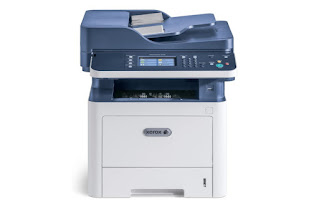
Xerox WorkCentre 3345/DNI Driver Downloads, Review, Price

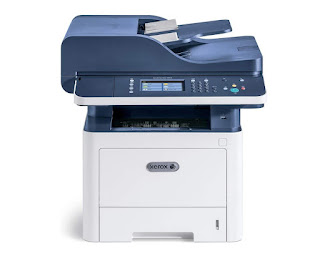
Xerox WorkCentre 3345/DNI Driver Downloads, Review, Price — The Xerox® WorkCentre® 3345/DNI Multifunction Printer assists your office with remaining associated and useful. It highlights laser innovation and an imaging head that can deal with up to 80,000 pages per month. This quick Xerox WorkCenture 3345/DNI multifunction printer can print up to 35 pages each moment once it gets moving. It's not difficult to create the primary page of a duplicate in as not many as 13 seconds to save time. The greatest print goal of 600 x 600 specks for every inch makes business quality, sharp text and pictures. One more advantage of the multi-work laser printer is that it can filter actual pages to print or report records, and it can send checks through fax or email.

  • Elite execution conditions need more advanced gadgets, Designed to help efficiency with simple network, all day, every day steadfastness and extraordinary highlights
  • Any place, at whatever point and nonetheless, Scan to email, or sweep to and print from a USB memory drive at the gadget, You could print straightforwardly from the cloud with a couple of basic advances
  • Upwardly Mobile, With help for Apple AirPrint, Google Cloud Print, Xerox Print Service Plug in for Android and Mopria, clients can print messages, photographs and significant archives from a wide scope of cell phones, in a flash, and without muddled arrangement
  • Absolute Peace of Mind, Outstanding Xerox Service and Support, with a standard one-year guarantee

With print paces of up to 40ppm and a print-to-first-page time as quick as 6.5 seconds, the Xerox Workcentre 3345DNi is a quick mono printer that consolidates fax, copier and scanner capacities into one slick work area machine - ideal for the little and work space. Additionally, the greatest 1200 dpi improved picture quality guarantees generally your office correspondences will look fresh, sharp and expert.

Xerox toner innovation
Certifiable Xerox toners offer up to 27% better return than remanufactured options, printing up to 2,600 pages*. The thing that matters is in the superfine, uniform round particles that won't dissipate inside your printer causing toner develop and scraped spot harm to your support unit. Furthermore, in light of the fact that they can be all the more definitively applied to the page, you'll encounter remarkable mono print quality. Blacks are rich and characterized, with sharp fine subtleties and zero padding, meaning your records will look remarkable at genuine 1200 x 1200 dpi goal.

Print something else for longer
With enormous, adaptable paper-feed abilities (up to 600 pages) that can deal with a wide scope of print media, you'll print something else for longer. Also, the high-obligation pattern of up to 80,000 pages each month implies the Xerox Workcentre 3345DNi can deal with even the most requesting print climate.

Remote MFP efficiency
With remote implicit, your Xerox Workcentre 3345DNi can sit any place you really want it. Cell phones can associate rapidly and safely, permitting you to print immediately from cell phones and tablets. Furthermore, the space-saving multifunctionality of the Xerox Workcentre 3345DNi means you'll monitor energy and decrease your inventory costs.

Simple and green
With a huge 4.3 inch shading screen, the Xerox Workcentre 3345DNi is a definitive stroll up-and-go printer, highlighting the most recent security highlights for delicate report taking care of and printer administrator direct from your program. With rest mode and duplex printing as standard, the Xerox Workcentre 3345DNi is loaded with harmless to the ecosystem elements, and all real Xerox printer consumables are recyclable through the Green World Alliance program.
Price: Around $499.99, find it here or here and here.
Xerox WorkCentre 3345/DNI Driver Downloads, Review, Price

Xerox WorkCentre 3345/DNI Driver Downloads, Review, Price

This driver is suitable for this platform:
  • Windows 7
  • Windows 8
  • Windows 8.1
  • Windows 10
  • Windows 11
  • Mac OS X
  • Linux

Xerox WorkCentre 3345/DNI Driver Downloads, Review, Price - Installation Guide :

To run this driver smoothly, please follow the instructions that listed below :
  1. Please ensure that your printer/scanner is ON or Connected to the power flow;
  2. Connect the printer/scanner's cable directly to the device, such as a computer or laptop;
  3. Prepare the driver's file that suitable to your printer/scanner and please concern, for those of you who don't have the driver or lost it, just download it directly under this instruction (we assume that you already have fulfilled the policy agreement or end user license agreement from our website and driver's manufacturer);
  4. Open the driver file, select the language that you want if available. If it is not available, you can request it to the provider of this page of course, then follow the instructions contained in the driver;
  5. After the driver is installed correctly, then just press the Finish button;
  6. Congratulations! Your printer/scanner can be used now, you are welcome to like, or subscribe our website and find the various reviews about the printer/scanner and driver. Happy printing!
  7. *Please tell us on the blog comment, if you got any broken link you found!

Xerox WorkCentre 3345/DNI Driver Downloads, Review, Price based for Windows:

  • Windows 7/8/8.1/10/11 (32/64bit) click here;
  • For more, check here.

Xerox WorkCentre 3345/DNI Driver Downloads, Review, Price based for Mac OS X:

  • OS X 10.15/11/12 click here;
  • For more, check here.

Xerox WorkCentre 3345/DNI Driver Downloads, Review, Price based for Linux:

Read more

Tuesday

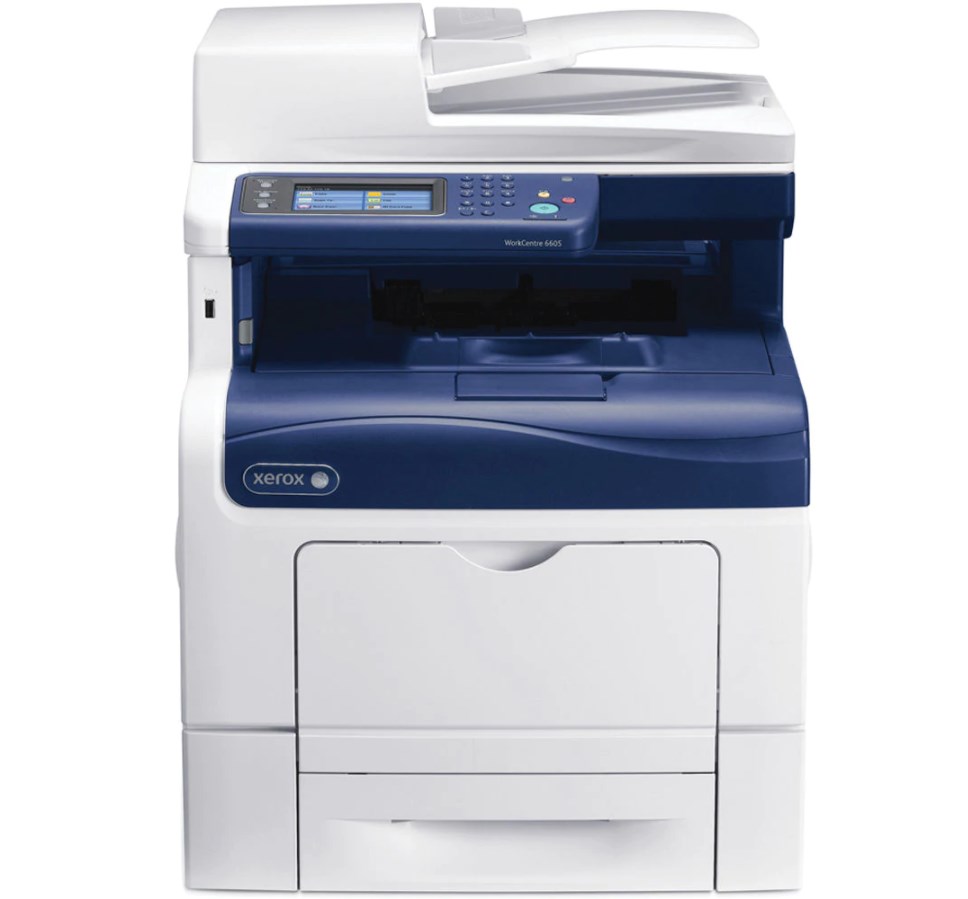
Xerox Workcentre 6605N Driver Downloads, Review And Price

Xerox Workcentre 6605N Driver Downloads, Review And Price — The Xerox Workcentre 6605N printer empowers you to work and print rapidly with velocities of up to 35 pages each moment in shading and in mono.The paper limit is high on this machine which implies it can hold 550 sheets which is a full ream of paper. There is likewise the additional choice of a second 550 sheet paper plate to build the limit of the printer.

  • A4 Multifunction
  • Manual Duplex
  • 600 x 600 x 4 dpi Resolution
  • 512 MB RAM
  • 35ppm Color/35ppm Mono
  • 550 Sheet Input Tray Sheet Paper Tray
  • Invalid Multi Tray
  • 150 Sheet Multi-Purpose Tray Additional Tray
  • USB/Network Connections

Get your work taken note
No matter what your organizations size or area, the 6605n provides you with the benefit of uncommon shading creation on each report delivered, from the first to the last print run.

Sell your business through excellent print yield at an upgraded 1200 x 1200 dpi print goal. Photograph mode accentuates quality pictures and designs and creates lively, rich tones for similar liveliness.

Amazing shading coordinating each time from PANTONE adjusted shading recreations alongside XEROX's own attempted and tried shading revision innovation guarantees that your outcomes are predictable, exact and prevalent consistently.

Straightforward Productivity
Assuming your group works at a high speed, you will be praised by a printer that continues giving, with efficient usefulness highlights intended to stay aware of the most requesting errands.

Both Color and Black and White prints are delivered at a fresh 35ppm (pages each moment). This doesn't imply that you should change paper on a more regular basis. The 550 sheet paper plate holds a full ream of paper and can be extended with a discretionary plate giving an all out limit of 1,250 sheets for continuous times of printing.

High Capacity toner cartridges implies not many support occupations and less association with the printer for your group, assisting you with diminishing your expenses throughout the existence season of the printer.

Digitize your work process
Examine your printed copy archives and get accessible advanced text reports and offer them across your organization or through email, right from the actual printer, or save to a USB memory stick for genuine conveyability.
Price: Around $1,400.00 or £950.40, find it here or here and here.
Xerox Workcentre 6605N Driver Downloads, Review And Price

Xerox Workcentre 6605N Driver Downloads, Review And Price

This driver is suitable for this platform:
  • Windows XP
  • Windows Vista
  • Windows 7
  • Windows 8
  • Windows 8.1
  • Windows 10
  • Windows 11
  • Mac OS X
  • Linux

Xerox Workcentre 6605N Driver Downloads, Review And Price - Installation Guide :

To run this driver smoothly, please follow the instructions that listed below :
  1. Please ensure that your printer/scanner is ON or Connected to the power flow;
  2. Connect the printer/scanner's cable directly to the device, such as a computer or laptop;
  3. Prepare the driver's file that suitable to your printer/scanner and please concern, for those of you who don't have the driver or lost it, just download it directly under this instruction (we assume that you already have fulfilled the policy agreement or end user license agreement from our website and driver's manufacturer);
  4. Open the driver file, select the language that you want if available. If it is not available, you can request it to the provider of this page of course, then follow the instructions contained in the driver;
  5. After the driver is installed correctly, then just press the Finish button;
  6. Congratulations! Your printer/scanner can be used now, you are welcome to like, or subscribe our website and find the various reviews about the printer/scanner and driver. Happy printing!
  7. *Please tell us on the blog comment, if you got any broken link you found!

Xerox Workcentre 6605N Driver Downloads, Review And Price based for Windows:

  • Windows 7/8/8.1/10/11 (32/64bit) - Printer click here;
  • Windows XP/Vista/7/8/8.1/10 (32/64bit) - Scanner click here;
  • For more, check here.

Xerox Workcentre 6605N Driver Downloads, Review And Price based for Mac OS X:

  • OS X 10.15/11/12 click here;
  • For more, check here.

Xerox Workcentre 6605N Driver Downloads, Review And Price based for Linux:

Read more

Monday

Xerox WorkCentre 6605DN Driver Downloads, Review, Price

Xerox WorkCentre 6605DN Driver Downloads, Review, Price — The Xerox WorkCentre 6605DN Color Multifunction Printer is intended for occupied workgroups to effectively make significant business interchanges stand apart with its outstanding shading printing. On account of its printing innovation, this gadget gives your picture a fundamental, brilliant benefit that snatches consideration. It likewise convey a large group of capacities and strong choices made reasonable for little workgroups. The Xerox WorkCentre 6605DN additionally support high speed workteams with its efficient usefulness includes that are intended for complete straightforwardness.

The Xerox WorkCentre 6605DN prints up to 36 pages each moment at up to 1200x1200 dpi goal. It has a month to month obligation pattern of 80,000 pages, and can print on media with sizes up to 8.5x14inch in. or then again A4 paper sizes. It has a standard information paper limit of 700 sheets, which can be extended up to 1,350 sheets.

  • Any Business searching for upgraded shading pictures.
  • Reasonable for any little workgroup who require great archive taking care of.
  • Ideal for any Company who need adaptability as the Xerox 6605DN offers discretionary Wi-Fi.
  • Great for any climate who need a gadget that will stay aware of requesting regular errands.
  • Will function admirably for a group of up to 10 clients.
  • Simple beginning up will have your gadget working inside around 10 minutes.
  • Will give your Business show quality result.
  • It will permit you to print, sweep, duplicate and fax.
  • The innovation on the Xerox Phaser 6605DN diminishes energy utilization and the sans oil toner will keep emanations low.
Price: Around £1,087.20 or $1,400.00, find it here or here and here.
Xerox WorkCentre 6605DN Driver Downloads, Review, Price

Xerox WorkCentre 6605DN Driver Downloads, Review, Price

This driver is suitable for this platform:
  • Windows XP
  • Windows Vista
  • Windows 7
  • Windows 8
  • Windows 8.1
  • Windows 10
  • Windows 11
  • Mac OS X
  • Linux

Xerox WorkCentre 6605DN Driver Downloads, Review, Price - Installation Guide :

To run this driver smoothly, please follow the instructions that listed below :
  1. Please ensure that your printer/scanner is ON or Connected to the power flow;
  2. Connect the printer/scanner's cable directly to the device, such as a computer or laptop;
  3. Prepare the driver's file that suitable to your printer/scanner and please concern, for those of you who don't have the driver or lost it, just download it directly under this instruction (we assume that you already have fulfilled the policy agreement or end user license agreement from our website and driver's manufacturer);
  4. Open the driver file, select the language that you want if available. If it is not available, you can request it to the provider of this page of course, then follow the instructions contained in the driver;
  5. After the driver is installed correctly, then just press the Finish button;
  6. Congratulations! Your printer/scanner can be used now, you are welcome to like, or subscribe our website and find the various reviews about the printer/scanner and driver. Happy printing!
  7. *Please tell us on the blog comment, if you got any broken link you found!

Xerox WorkCentre 6605DN Driver Downloads, Review, Price based for Windows:

  • Windows 7/8/8.1/10/11 (32/64bit) - Printer click here;
  • Windows XP/Vista/7/8/8.1/10 (32/64bit) - Scanner click here;
  • For more, check here.

Xerox WorkCentre 6605DN Driver Downloads, Review, Price based for Mac OS X:

  • OS X 10.15/11/12 - Printer click here;
  • OS X 10.15/11/12 - Scanner click here;
  • OS X 10.12/10.13/10.14/10.15/11/12 - Fax click here;
  • For more, check here.

Xerox WorkCentre 6605DN Driver Downloads, Review, Price based for Linux:

Read more

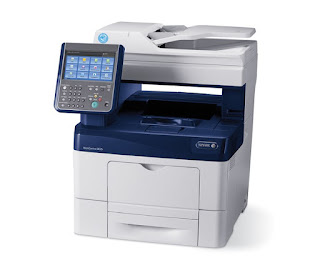
Xerox WorkCentre 6655i Driver Downloads, Review And Price

Xerox WorkCentre 6655i Driver Downloads, Review And Price — Experience an improved, and natural UI on the Xerox WorkCentre 6655i that can be custom fitted for your singular business needs. The Xerox WorkCentre 6655i permits your staff to control gadget capacities from any workstation. The Remote Control Panel makes it more helpful to prepare clients and for IT staff to remotely view and screen the UI. Based on ConnectKey Technology, the Xerox WorkCentre 6655i backings a Wi-Fi Direct association that allows you to print from your cell phone without interfacing with an organization.

  • Xerox Print Service Plug-in for Android and Apple AirPrint to further develop your versatile printing experience
  • Greatest print goal 2400 x 600 dpi
  • Print accelerate to 36 ppm
  • Duplicate, Email, Print and Scan Standard; Optional Fax

Work isn't restricted all the time to the workplace nor are you. Xerox® ConnectKey® Technology gives you the opportunity and accommodation to work when you need, where you need, by keeping you consistently associated with the usefulness apparatuses that drive your business forward.

Space to wander
The WorkCentre 6655i permits your staff to control gadget capacities from any workstation. The Remote Control Panel makes it more advantageous to prepare clients and for IT staff to remotely view and screen the UI.

A superior method for finishing work
Experience a streamlined, and instinctive UI that can be customized for your singular business needs. Effectively make a work process that empowers you to examine data to your chose objections, (email, work area, network envelopes, cloud archives) in secure text accessible configurations, at the dash of a button. This recoveries time, and permits more to be finished with the data you output and store.

Main concern benefits
Xerox® print drivers in light of Microsoft® Windows® empower you to save various settings per application, limiting the need to make changes and diminishing the gamble of expected blunders. Xerox® ConnectKey Technology develops with your necessities by limiting utilization and managing shading printing. The User Permission control incorporates with your inner confirmation framework, permitting you to not entirely settled or non-validated clients from seeing explicit elements on the UI.

No-compromise information assurance
ConnectKey Technology gives progressed highlights and advancements to assist with guaranteeing your organization's private data stays secure. Our standard security highlights incorporate AES 256-bit hard circle encryption, McAfee® assurance fueled by Intel Security, picture overwrite, secure print with planned erasure and messaging to outer mail servers.
Price: Around $2,499.00 or £1,584.70, find it here or here and here.
Xerox WorkCentre 6655i Driver Downloads, Review And Price

Xerox WorkCentre 6655i Driver Downloads, Review And Price

This driver is suitable for this platform:
  • Windows 7
  • Windows 8
  • Windows 8.1
  • Windows 10
  • Windows 11
  • Mac OS X
  • Linux

Xerox WorkCentre 6655i Driver Downloads, Review And Price - Installation Guide :

To run this driver smoothly, please follow the instructions that listed below :
  1. Please ensure that your printer/scanner is ON or Connected to the power flow;
  2. Connect the printer/scanner's cable directly to the device, such as a computer or laptop;
  3. Prepare the driver's file that suitable to your printer/scanner and please concern, for those of you who don't have the driver or lost it, just download it directly under this instruction (we assume that you already have fulfilled the policy agreement or end user license agreement from our website and driver's manufacturer);
  4. Open the driver file, select the language that you want if available. If it is not available, you can request it to the provider of this page of course, then follow the instructions contained in the driver;
  5. After the driver is installed correctly, then just press the Finish button;
  6. Congratulations! Your printer/scanner can be used now, you are welcome to like, or subscribe our website and find the various reviews about the printer/scanner and driver. Happy printing!
  7. *Please tell us on the blog comment, if you got any broken link you found!

Xerox WorkCentre 6655i Driver Downloads, Review And Price based for Windows:

  • Windows 7/8/8.1/10/11 (32/64bit) click here;
  • For more, check here.

Xerox WorkCentre 6655i Driver Downloads, Review And Price based for Mac OS X:

  • OS X 10.15/11/12 click here;
  • For more, check here.

Xerox WorkCentre 6655i Driver Downloads, Review And Price based for Linux:

Read more

Saturday

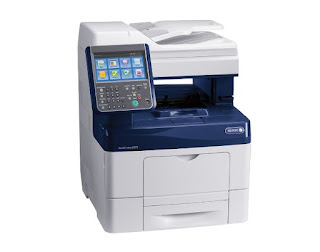
Xerox Workcentre 6655 Driver Downloads, Review And Price

Xerox Workcentre 6655 Driver Downloads, Review And Price — This Xerox WorkCentre 6655 is a strong A4 shading laser MFP from the world's driving printer brand. This printer is great for little to medium measured organizations and associations. It's top of the line parts, reduced size, energy saving innovation and extraordinary expense control, make it an exceptionally well known printer with numerous SMEs.

Practical and Efficient
ConnectKey and a determination of creative highlighted devices help to improve on the administration of printing assignments, holding the expenses down and proficiency high. The User Permission usefulness permits you to just redo all projects and printing activities - managing the cost of you unlimited authority over your labor force's utilization. Using LED innovation, the filtering choices of the gadget utilize approximately 1/3 of the force of conventional scanners. Cisco EnergyWise permits you to painstakingly deal with the power use of the printer by setting ideal power states and break spans.

Expanded Productivity
The Workcentre 6655 is able to do extraordinarily high and proficient result, presenting to 35 pages/minute print time as a norm. The savvy printer has a natural prioritization work which will skip occupations requiring extra assets for occupations which can be finished quickly, consequently saving time.

Oversimplified Convenience
With distant capacity, access and functional abilities; the WorkCentre 6655 is unquestionably easy to access and involve across various cell phones as well as your PC. Remotely store reports to the cloud to fill in as helpful back-ups or use Apple AirPrint across Apple items. For the more technophobic, the shading contact screen offers shortsighted usefulness.
Price: Around £1,583.00, find it here or here.
Xerox Workcentre 6655 Driver Downloads, Review And Price

Xerox Workcentre 6655 Driver Downloads, Review And Price

This driver is suitable for this platform:
  • Windows 7
  • Windows 8
  • Windows 8.1
  • Windows 10
  • Windows 11
  • Mac OS X
  • Linux

Xerox Workcentre 6655 Driver Downloads, Review And Price - Installation Guide :

To run this driver smoothly, please follow the instructions that listed below :
  1. Please ensure that your printer/scanner is ON or Connected to the power flow;
  2. Connect the printer/scanner's cable directly to the device, such as a computer or laptop;
  3. Prepare the driver's file that suitable to your printer/scanner and please concern, for those of you who don't have the driver or lost it, just download it directly under this instruction (we assume that you already have fulfilled the policy agreement or end user license agreement from our website and driver's manufacturer);
  4. Open the driver file, select the language that you want if available. If it is not available, you can request it to the provider of this page of course, then follow the instructions contained in the driver;
  5. After the driver is installed correctly, then just press the Finish button;
  6. Congratulations! Your printer/scanner can be used now, you are welcome to like, or subscribe our website and find the various reviews about the printer/scanner and driver. Happy printing!
  7. *Please tell us on the blog comment, if you got any broken link you found!

Xerox Workcentre 6655 Driver Downloads, Review And Price based for Windows:

  • Windows 7/8/8.1/10/11 (32/64bit) click here;
  • For more, check here.

Xerox Workcentre 6655 Driver Downloads, Review And Price based for Mac OS X:

  • OS X 10.15/11/12 click here;
  • For more, check here.

Xerox Workcentre 6655 Driver Downloads, Review And Price based for Linux:

Read more

Sunday

Xerox WorkCentre 3335/DNI Driver Downloads, Review, Price

Xerox WorkCentre 3335/DNI Driver Downloads, Review, Price — This WorkCentre 3335dni accompany a superior exhibition conditions need more advanced gadgets. The WorkCentre 3335dni multi-work printer is the best office right hand for a solitary client or a little group, expanding usefulness, proficiency, and smoothing out printing, duplicating and checking processes. Minimized, peaceful and lightweight, the WorkCentre fits impeccably into a little office space.

  • Highly contrasting A4 Laser Printer
  • Shading and Mono Scanner
  • 50-Sheet Automatic Document Feeder
  • Easy to understand Panel with Clear Buttons
  • 1.5 GB Memory and 1.0 GHz Processor

The Xerox Workcentre 3335DNi is a mono multifunction printer offering pace, quality and asset reserve funds in a minimal bundle. This completely remote printer can be utilized anyplace in the workplace and offers remote and versatile printing as standard.

Execution and usefulness
With strong handling power, the Xerox Workcentre 3335DNi conveys print rates of up to 35ppm, and with huge paper stacking limit and adaptable treatment of a wide scope of media, it can ride out the hardest print work. High-limit, high return print cartridges permit you to print excellent quality monochrome many a page, up to 1200 x 1200 dpi goal.

Basic and secure
The Xerox Workcentre 3335DNi is a definitive in stroll up-and-go effortlessness, because of its enormous shading touchscreen and simple to-utilize interface. Gadget organization is dealt with direct from your PC program, and Xerox security highlights ensure your most touchy print occupations.

At whatever point, any place
Check direct to email, output to and print from USB, and rapidly and effectively duplicate and digitize your office.

Real Xerox toner quality
Utilizing real Xerox toner will open the inconceivable adaptability of the Xerox Workcentre 3335DNi. Appreciate better quality thanks than Xerox low dissolve toner innovation that circuits at lower temperatures with no think twice about quality, conveying remarkable outcomes with sharp and fresh text, fine subtleties and smooth illustrations. Shield your printer from the harm brought about by topped off unbranded cartridges that cause toner dissipate and scraped spot harm to your upkeep unit, eventually costing you time, cash and usefulness.

A green machine
Rest mode drives the Xerox Workcentre 3335DNi down to 3.3 watts and has a quick wake-up season of 35 seconds, so you can save energy with no printer personal time. Also for the naturally cognizant, it's great to know all authentic Xerox printer cartridges can be reused through the Xerox Green World Alliance program.
Price: Around £234.66, find it here or here.
Xerox WorkCentre 3335/DNI Driver Downloads, Review, Price

Xerox WorkCentre 3335/DNI Driver Downloads, Review, Price

This driver is suitable for this platform:
  • Windows 7
  • Windows 8
  • Windows 8.1
  • Windows 10
  • Windows 11
  • Mac OS X
  • Linux

Xerox WorkCentre 3335/DNI Driver Downloads, Review, Price - Installation Guide :

To run this driver smoothly, please follow the instructions that listed below :
  1. Please ensure that your printer/scanner is ON or Connected to the power flow;
  2. Connect the printer/scanner's cable directly to the device, such as a computer or laptop;
  3. Prepare the driver's file that suitable to your printer/scanner and please concern, for those of you who don't have the driver or lost it, just download it directly under this instruction (we assume that you already have fulfilled the policy agreement or end user license agreement from our website and driver's manufacturer);
  4. Open the driver file, select the language that you want if available. If it is not available, you can request it to the provider of this page of course, then follow the instructions contained in the driver;
  5. After the driver is installed correctly, then just press the Finish button;
  6. Congratulations! Your printer/scanner can be used now, you are welcome to like, or subscribe our website and find the various reviews about the printer/scanner and driver. Happy printing!
  7. *Please tell us on the blog comment, if you got any broken link you found!

Xerox WorkCentre 3335/DNI Driver Downloads, Review, Price based for Windows:

  • Windows 7/8/8.1/10/11 (32/64bit) click here;
  • For more, check here.

Xerox WorkCentre 3335/DNI Driver Downloads, Review, Price based for Mac OS X:

  • OS X 10.15/11/12 click here;
  • For more, check here.

Xerox WorkCentre 3335/DNI Driver Downloads, Review, Price based for Linux:

Read more

Thursday

Xerox WorkCentre 6515/DNM Driver Download, Review, Price

Xerox WorkCentre 6515/DNM Driver Download, Review, Price — With the Xerox WorkCentre 6515/DNM All-in-One Color Laser Printer, you get unmatched efficiency and noteworthy shading quality. The WorkCentre 6515/DNM has up to 1200x2400 local dpi for fine detail and staggering goal. It prints up to 30 pages each moment in dark or shading.

  • Multifunction Printer
  • Up to 1200x2400dpi Print Resolution
  • Print up to 30 ppm (shading), up to 30 ppm (dark)
  • 10/100/1000 BaseT Ethernet, USB 3.0
  • 16.5 x 19.9x19.7inch
  • Flag sheets, Booklet printing, Covers, Draft mode, Fit-to-page, N-up, Overlays, PANTONE Color Approved, Personal print, Poster printing, Proof print, RAM Collation, Run Black, Saved print, Secure Print, Separator pages, Solid-shading recreations, Watermarks
  • Output to Application (TWAIN Network), Scan to Email (SMTP), Scan to Email (residential location or LDAP reconciliation), Scan to Local PC, Scan to Mac 10.9 or later (Network/Mac ICA), Scan to Multiple Destinations in a Single Scan Job, Scan to Network (by means of FTP/SMB), Scan to Network Computer (SMB/FTP), Scan to USB Memory Device, Scan to WIA (WSD Scan), Scan to WSD
  • 802.1x Authentication, Authentication (Unix/Linux/Windows ADS), IP separating, IPSec, Kerberos, LDAP (SASL), Network verification, S/MIME, SNMPv3, Secure Fax Receive, Secure HTTPS (SSL), Secure Print

Seek after constantly. Produce easily.
With awesome picture quality, simple network, worked in efficiency and dependability you can rely on, at a value that won't burn through every last cent.

Outrageous Connectivity
Their new Wi-Fi ® establishment wizard and Wi-Fi Protected Setup ™ (WPS) make getting associated secure and very straightforward. What's more, with Wi-Fi Direct ® , cell phones can interface straightforwardly (and safely). Prepared to combine. Presently you can without much of a stretch interface with cell phones, tablets and other empowered gadgets with Near Field Communication (NFC) Tap-to-Pair 1 - a similar innovation behind Apple Pay ® and other versatile comfort applications.
  • Whatever your business, you'll put your best face forward with their most up to date development in shading picture quality.
  • Dazzling goal. More modest toner particles mean better subtleties, and with 1200 x 2400 local dpi, your written words will catch consideration and venture clean and panache.
  • Shading right. PANTONE ® Color-supported strong shading reproductions and Xerox ® shading revision innovation guarantee results that match your assumptions.
Price: Around USD $629.00, find it here or here and here.
Xerox WorkCentre 6515/DNM Driver Download, Review, Price

Xerox WorkCentre 6515/DNM Driver Download, Review, Price

This driver is suitable for this platform:
  • Windows XP
  • Windows Vista
  • Windows 7
  • Windows 8
  • Windows 8.1
  • Windows 10
  • Windows 11
  • Mac OS X
  • Linux

Xerox WorkCentre 6515/DNM Driver Download, Review, Price - Installation Guide :

To run this driver smoothly, please follow the instructions that listed below :
  1. Please ensure that your printer/scanner is ON or Connected to the power flow;
  2. Connect the printer/scanner's cable directly to the device, such as a computer or laptop;
  3. Prepare the driver's file that suitable to your printer/scanner and please concern, for those of you who don't have the driver or lost it, just download it directly under this instruction (we assume that you already have fulfilled the policy agreement or end user license agreement from our website and driver's manufacturer);
  4. Open the driver file, select the language that you want if available. If it is not available, you can request it to the provider of this page of course, then follow the instructions contained in the driver;
  5. After the driver is installed correctly, then just press the Finish button;
  6. Congratulations! Your printer/scanner can be used now, you are welcome to like, or subscribe our website and find the various reviews about the printer/scanner and driver. Happy printing!
  7. *Please tell us on the blog comment, if you got any broken link you found!

Xerox WorkCentre 6515/DNM Driver Download, Review, Price based for Windows:

  • Windows 7/8/8.1/10/11 (32/64bit) click here;
  • For more, check here.

Xerox WorkCentre 6515/DNM Driver Download, Review, Price based for Mac OS X:

  • OS X 10.15/11/12 click here;
  • For more, check here.

Xerox WorkCentre 6515/DNM Driver Download, Review, Price based for Linux:

Read more